
Pinterest and Shopify are a natural pair — Pinterest users have high purchase intent, and Shopify makes it easy to surface your products there. Here’s how to set it up and make it work.
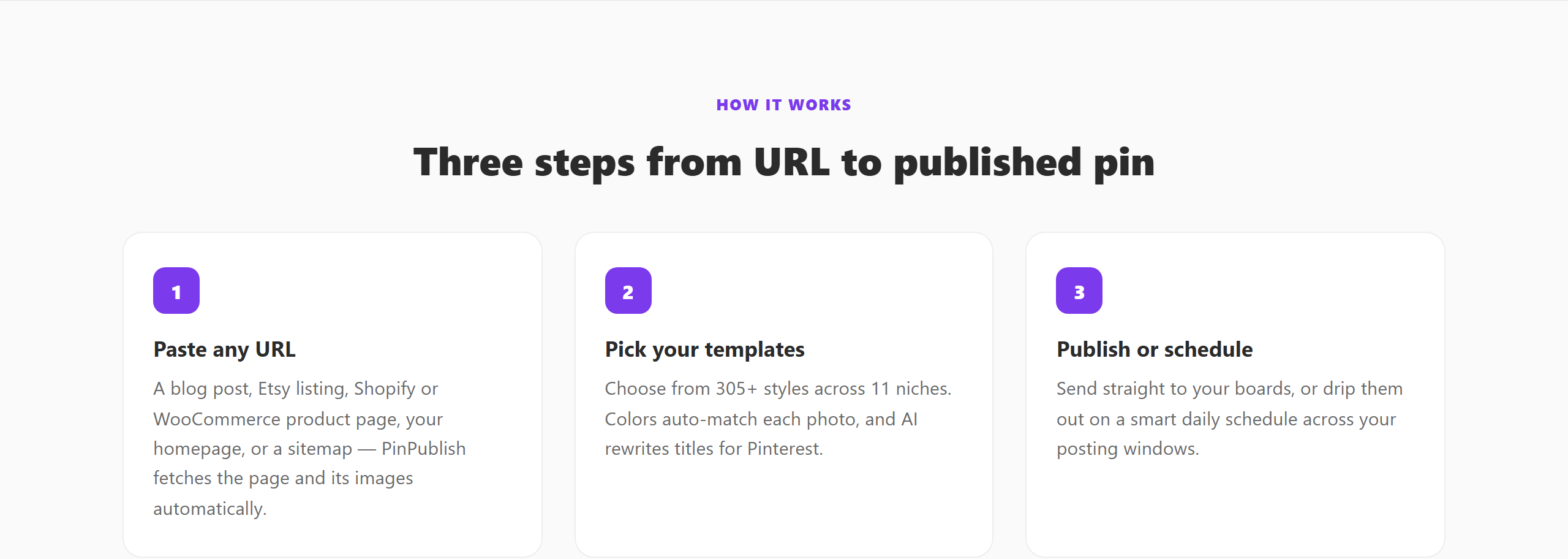 Paste a product URL and PinPublish builds the pin automatically.
Why Pinterest Is Valuable for Shopify Stores
Pinterest users are actively planning purchases. Studies show over 80% of weekly Pinners have discovered a new brand or product on Pinterest. That’s a buying audience looking for products like yours.
Unlike Instagram, Pinterest content has a long lifespan — a product pin can drive clicks for months or years after publishing. And unlike Google Ads, there’s a significant organic opportunity that doesn’t require an ad budget.
Step 1: Connect Pinterest to Shopify
- In your Shopify Admin, go to Sales Channels → Add channel → Pinterest
- Install the official Pinterest channel app
- Connect your Pinterest Business account
- Agree to Pinterest’s Merchant Guidelines
Once connected, Shopify and Pinterest sync automatically.
Step 2: Enable Product Catalogue Sync
After connecting, Pinterest will import your product catalogue. This powers: - Shopping ads (if you run paid promotion) - Product Rich Pins — which display price, availability, and product name directly on the pin - Collections — curated product groups that appear in Pinterest’s shopping surfaces
Make sure your product images meet Pinterest’s standards: high-resolution (minimum 600px wide), vertical format preferred (2:3), clean backgrounds that highlight the product.
Step 3: Create Organic Product Pins
Don’t rely solely on catalogue sync — create specific pins for your best products. For each key product: - Create 3–5 different pin designs (lifestyle photo, product closeup, “how it works” graphic) - Write keyword-rich pin titles that match what shoppers search for - Link directly to the product page
Use PinPublish to create and schedule these pins quickly. Paste your product URL and PinPublish pulls the product image and title automatically — then you schedule it to your relevant boards.
Step 4: Optimise Your Product Pin Titles
Think about what a Shopify customer would search for on Pinterest before they know your brand exists.
Instead of: “Blue Ceramic Mug by Makers Supply Co” Try: “Handmade Ceramic Coffee Mug — Minimalist Kitchen Decor”
The second title matches how people search Pinterest, not just how you describe your product.
Step 5: Track Shopify Sales From Pinterest
In Shopify Analytics, filter by traffic source to see Pinterest’s contribution. Use UTM parameters on your pin URLs (?utm_source=pinterest&utm_medium=social) for more detailed attribution. See How to Track Pinterest Traffic.
Growth Strategy for Shopify on Pinterest
- Publish 5–10 product pins per day across your catalogue
- Create seasonal pin batches 6–8 weeks before major holidays
- Pin lifestyle content alongside product pins (shows your product in context)
- Board structure: one board per product category, plus lifestyle boards
See also: AI Pin Generator for Shopify for automating product pin creation at scale.